v1.3.3 · Zero Config · MIT

apfel

The free AI already on your Mac.

macOS Tahoe ships with a 3B parameter LLM. apfel gives you CLI access with one brew install. No model downloads, no API keys, no configuration needed, just works.

No Token Costs On-Device AI Scriptable
$ brew install apfel

5.1k+ stars on github.com/Arthur-Ficial/apfel

Requires: Apple Silicon · macOS Tahoe · Apple Intelligence enabled

Everything runs on your device. No network calls. No data leaves your Mac.

Watch it work.

From brew install to AI output in 12 seconds. No configuration required.

Terminal - apfel
$

Zero config. Zero LLM downloads. Zero token costs.

Other local AI tools are great but require model downloads and configuration. apfel needs nothing - the model is already on your Mac. One brew install. You're done.

$0
Token Cost
No API keys. No subscriptions. No per-token billing. Your hardware, your AI.
100%
On-device
Every token generated locally on your Apple Silicon. Nothing leaves your machine. Ever.
0
Config Steps
No YAML. No environment variables. No model selection. Install once, use forever.

The model under the hood

Apple ML Research
~3BParameters
4,096Context window
~3.5 bpwQuantization
Mixed 2/4-bitPrecision
Neural EngineRuns on
en, de, es, fr, it, ja, ko, pt, zhLanguages

Three tools. One install.

A CLI, an OpenAI-compatible server, and an interactive chat. All from a single brew install. No extra downloads.

>_

UNIX Tool

Pipe-friendly and composable. Works with jq, xargs, and your shell scripts. stdin, stdout, JSON output, file attachments, proper exit codes.

$ apfel "What is the capital of Austria?"
The capital of Austria is Vienna.

$ apfel -o json "Translate to German: Apple" | jq .content
"Apfel"
{ }

OpenAI Server

Drop-in replacement at localhost:11434. Point any OpenAI SDK at it and go. Streaming, tool calling, CORS, response formats.

$ apfel --serve
Server running on http://127.0.0.1:11434

# any OpenAI client works
$ curl localhost:11434/v1/chat/completions ...
...

Interactive Chat

Multi-turn conversations with automatic context management. Five trimming strategies. System prompt support. All on your Mac.

$ apfel --chat -s "You are a coding assistant"
Chat started. Type /quit to exit.
> How do I reverse a list in Python?

Native MCP support.

Give Apple's on-device model tools. Any tools.

Attach tool servers with --mcp

apfel speaks the Model Context Protocol. Point it at any MCP server and the on-device model gets tools - math, APIs, databases, anything you can write a server for.

  • Works in all three modes - CLI, server, and chat
  • Auto-discovers tools via MCP tools/list at startup
  • Tool calls detected, executed, and results fed back automatically
  • No --mcp flag, no overhead - zero extra tokens, zero code path changes
  • Ships with a calculator MCP server as proof-of-concept
  • Remote MCP servers via URL - --mcp https://... with optional Bearer token auth
Terminal - apfel + MCP
# give the model a calculator
$ apfel --mcp ./mcp/calculator/server.py \
  "What is 15 times 27?"

tool: multiply({"a": 15, "b": 27}) = 405
15 times 27 is 405.

# attach multiple servers
$ apfel --mcp ./calc.py --mcp ./weather.py \
  "What is sqrt(2025)?"

tool: sqrt({"n": 2025}) = 45.0
The square root of 2025 is 45.

# remote MCP server over HTTPS
$ apfel --mcp https://mcp.example.com/v1 "query"

# server mode - tools auto-available to all clients
$ apfel --serve --mcp ./calc.py

How it works.

Apple built an LLM into every Mac. It's just sitting there. apfel gives it a front door - with zero configuration.

Apple ships an on-device LLM

Starting with macOS 26 (Tahoe), every Apple Silicon Mac includes a language model as part of Apple Intelligence. Apple exposes it through the FoundationModels framework - a Swift API that gives apps access to SystemLanguageModel. All inference runs on the Neural Engine and GPU. No network calls, no cloud, no API keys. The model is just there.

But Apple only uses it for Siri

Out of the box, the on-device model powers Siri, Writing Tools, and system features. There is no terminal command, no HTTP endpoint, no way to pipe text through it. The FoundationModels framework exists, but you need to write a Swift app to use it. That is what apfel does.

What apfel adds

apfel is a Swift 6.3 binary that wraps LanguageModelSession and exposes it three ways: as a UNIX command-line tool with stdin/stdout, as an OpenAI-compatible HTTP server (built on Hummingbird), and as an interactive chat with context management.

It handles the things Apple's raw API does not: proper exit codes, JSON output, file attachments, five context trimming strategies for the small 4096-token window, real token counting via the SDK, and conversion of OpenAI tool schemas to Apple's native Transcript.ToolDefinition format.

hardware Apple Silicon (Neural Engine + GPU)
|
model Apple's on-device LLM (shipped with macOS)
|
sdk FoundationModels.framework (Swift API)
|
apfel CLI + HTTP server + context management
|
you Terminal, shell scripts, OpenAI SDKs, curl
4,096 tokens Context window (input + output)
1 model Fixed, not configurable
Swift 6.3 Strict concurrency, no Xcode
MIT license Open source

Private by design.

Not a single HTTP call while using apfel. Every claim below links to Apple's own documentation.

On-device. Works offline.

The FoundationModels framework runs entirely on your Apple Silicon Neural Engine. No server, no cloud, no internet connection needed.

"You can build experiences that are smart, private, and work without internet connectivity." - Apple Developer

Your data stays yours.

Apple does not collect prompts, responses, or any usage data from on-device inference. Nothing is stored, nothing is sent.

"The cornerstone of Apple Intelligence is on-device processing." - Apple Privacy

Never used for training.

Apple trains their foundation models on licensed and public data only. Your interactions are never part of the training pipeline.

"We do not use our users' private personal data or user interactions when training our foundation models." - Apple ML Research

apfel adds zero tracking.

No analytics, no telemetry, no automated update checks, no crash reporting, no calling home. The only network call apfel ever makes is when you explicitly run apfel --update. The entire codebase is open source.

Power tools included.

Shell scripts in the demo/ folder. Install apfel first, then grab the ones you want.

>_

cmd

Natural language to shell command. Say what you want, get the command.

$ cmd "find all .log files modified today"
|>

oneliner

Pipe chains from plain English. awk, sed, sort, uniq - generated for you.

$ oneliner "count unique IPs in access.log"
**

mac-narrator

Narrates your Mac's system activity like a nature documentary.

$ mac-narrator --watch
?

explain

Explain any command, error message, or code snippet in plain English.

$ explain "awk '{print $1}' file | sort -u"
./

wtd

What's this directory? Instant project orientation for any codebase.

$ wtd
++

gitsum

Summarize recent git commits in a few sentences.

$ gitsum

30 useful and cool one-liners.

Every command tested on a real Mac. Chain apfel with ps, lsof, du, vm_stat, git, pbpaste, sleep, pgrep, curl, say - composability cloud AIs cannot match, because they cannot see your processes, your clipboard, your git diff. apfel can.

Live system 8

What is eating my CPU right now.

$ps aux | sort -k 3 -nr | head -5 | awk '{print $11, $3"%"}' | apfel "which app is using the most CPU"

-> WindowServer is using the most CPU at 42.6%.

Which apps are listening on which ports.

$lsof -iTCP -sTCP:LISTEN -n -P | head -15 | apfel "list which apps own which ports as a table"

-> 11434 fichten, 18789 node, 5000 ControlCenter ...

Which volume is closest to full.

$df -h | apfel "which volume is fullest, one sentence"

-> /dev/disk3s1 is the fullest at 263Gi of 926Gi.

vm_stat decoded into plain english.

$vm_stat | apfel "explain my memory usage in plain english, one sentence"

-> 349k pages active, 266k wired - significant memory in use.

Which folders here are eating the most disk.

$du -sh */ 2>/dev/null | sort -rh | head -5 | apfel "which folders are eating most disk, one sentence"

-> Library at 36G and Downloads at 604M dominate.

Biggest files in this folder.

$ls -laS | head -10 | apfel "what are the biggest files here, just file names"

-> apfel-quick-preview.png, og.png, translate-preview.png ...

Which apps are talking to the internet right now.

$lsof -i -nP 2>/dev/null | grep ESTABLISHED | awk '{print $1, $9}' | head -10 | apfel "which apps are talking to the internet right now, short answer"

-> node → 157.240.253.60:443, claude.ex → 160.79.104.10:443, Google → 66.102.1.188:5228 ...

Battery health and ETA in one line.

$pmset -g batt | apfel "battery health and percent, one line"

-> Fully charged, health 100%, currently active.

Git 2

Recap your recent commits in plain English.

$git log --oneline -20 | apfel "summarize what I have been working on"

-> Updates from v1.2.1 to v1.3.2, added sister projects ...

Draft a one-line release note from recent commits.

$git log --oneline -5 | apfel "write a one-line release note based on these commits"

-> Released v1.3.2 with 5053 stars, 783 tests, updates.

Clipboard round-trips 4

Fix grammar of whatever is on your clipboard, then put the fix back.

$pbpaste | apfel "fix grammar" | pbcopy

-> "i has went" becomes "I went" - back on clipboard.

Translate clipboard to Japanese, then put it back.

$pbpaste | apfel "translate to japanese" | pbcopy

-> Clipboard now contains the Japanese translation.

Summarize a wall of text from your clipboard into 3 bullets.

$pbpaste | apfel "summarize in 3 bullets"

-> 3 tight bullets in your terminal.

Pull clean action items out of meeting notes on your clipboard.

$pbpaste | apfel "extract just the action items as a clean bullet list, no other text" | pbcopy

-> "Sarah drafts Q3 budget", "email design team", ... back on clipboard.

Watch and announce 6

Notify yourself out loud when a long task finishes (here, in 30 minutes).

$sleep 1800 && apfel "tell me cheerfully my long task just finished, one short sentence" | say

-> Mac speaks: "Your long task just finished, well done!"

Wait for a file to land in Downloads, then announce it.

$until [ -e ~/Downloads/Report.pdf ]; do sleep 5; done; apfel "tell me my download just landed, one cheerful sentence" | say

-> Polls every 5s; when Report.pdf appears, Mac speaks the news.

Wait for a long-running process to exit, then announce it.

$while pgrep -q ffmpeg; do sleep 5; done; apfel "tell me cheerfully that my video encoding is done, one short sentence" | say

-> Polls every 5s; when ffmpeg dies, Mac speaks the news.

Every 30 minutes, summarize what you just shipped, out loud.

$while sleep 1800; do git log --since="30 min ago" --oneline | apfel "summarize my last 30 minutes of work in one cheerful sentence" | say; done

-> Half-hourly auto-standup read aloud while you keep coding.

Every 15 minutes, warn out loud if battery drops under 20 percent.

$while sleep 900; do P=$(pmset -g batt | grep -oE "[0-9]+%" | head -1 | tr -d %); [ "$P" -lt 20 ] && apfel "battery just dropped to $P percent, write one short sentence that is friendly but super urgent telling me to plug in NOW" | say; done

-> Quiet until battery dips; then Mac shouts a friendly-but-urgent warning out loud.

Watch a URL until it returns 2xx, then celebrate the deploy out loud.

$until curl -sf https://staging.example.com/health >/dev/null; do sleep 30; done; apfel "tell me cheerfully that my deploy is live and the URL is responding, one short sentence" | say

-> Polls every 30s until staging is up; Mac speaks "Your deploy is live, URL is responding!".

Web and text 4

Rephrase a casual line into something polite.

$echo "hey can u send me docs asap" | apfel "rephrase politely"

-> "Could you please share the documents at your earliest ..."

Hit a URL and ask what is going on, just from the headers.

$curl -sI https://github.com | apfel "explain what happens at this URL in one sentence, based on the HTTP headers"

-> GitHub serves an HTML page with strict caching and security headers.

Hacker News today, summarized in one sentence and read out loud.

$curl -s https://news.ycombinator.com | grep titleline | sed "s/<[^>]*>//g" | apfel "summarize hacker news today in one cheerful sentence" | say

-> Mac speaks the day's top stories in one tight summary.

Explain a JSON blob in plain English.

$echo '{"name":"alice","plan":"pro","credits":42}' | apfel "explain this JSON in one sentence"

-> A user named Alice on the pro plan with 42 credits.

Quick lookups 8

Math without opening a calculator.

$apfel "what is 15% tip on 87.50, just the number"

-> 13.13

Generate a regex without leaving the terminal.

$apfel "regex for a valid email address, just the regex"

-> ^[a-zA-Z0-9._%+-]+@[a-zA-Z0-9.-]+\.[a-zA-Z]{2,}$

Ask for the bash one-liner you forgot.

$apfel "give me one find command that lists files larger than 100MB, just the bash command"

-> find / -type f -size +100M

Explain a cryptic command instead of guessing.

$apfel "explain the command tar -xzvf file.tar.gz in one sentence"

-> Uncompress and extract a gzipped tarball into the cwd.

Forget the exact git command? Just ask.

$apfel "git command to uncommit but not unedit my last commit, just the command"

-> git reset --soft HEAD~1

Decode someone else's regex in one sentence.

$apfel "explain this regex in one sentence: ^\d{3}-\d{4}$"

-> Matches a 3-digit prefix, a hyphen, and 4 digits - a US phone format.

Convert a casual date string to ISO 8601.

$apfel "convert 'Sat Apr 27 2026 11:30' to ISO 8601 (YYYY-MM-DDTHH:MM:SS), reply only with the converted string"

-> 2026-04-27T11:30:00+00:00

Summarize a whole file in 3 bullets.

$apfel -f README.md "summarize in 3 bullets"

-> 3 bullets covering scope, install, usage.

OpenAI compatible.

Change one URL. Keep your code.

Drop-in replacement

apfel speaks the OpenAI API. Any client library, any framework, any tool that talks to OpenAI can talk to your Mac's AI instead. Just change the base URL.

  • POST /v1/chat/completions
  • Streaming (SSE)
  • Tool calling / function calling
  • GET /v1/models
  • response_format: json_object
  • temperature, max_tokens, seed
  • CORS for browser clients
Python
from openai import OpenAI

# Just change the base_url. That's it.
client = OpenAI(
    base_url="http://localhost:11434/v1",
    api_key="unused"  # no auth needed
)

resp = client.chat.completions.create(
    model="apple-foundationmodel",
    messages=[{
        "role": "user",
        "content": "What is 1+1?"
    }],
)
print(resp.choices[0].message.content)

Popular on GitHub.

From zero to 5069 stars and counting.

5069
GitHub stars
193 forks
783 tests
v1.3.3 shipped

Starred by engineers from Apple, Google, VMware, NVIDIA, and PlayStation.

Star on GitHub
0 1,000 2,000 3,000 4,000 5,000 6,000 1,092 APR 3 3,163 APR 6 4,094 APR 10 5069 NOW Mar 24 Apr 3 · HN front page Apr 27

Data as of April 27, 2026

Get started.

No model downloads. No sign-ups. No API keys. Just this.

Homebrew

macOS 26+ with Apple Intelligence
$ brew install apfel
$ apfel "Hello, Mac"

Build from source

requires CLT + macOS 26.4 SDK
$ git clone https://github.com/Arthur-Ficial/apfel.git
$ cd apfel && make install

The apfel tree.

A growing family of native macOS tools built on apfel - and sister projects bringing other Apple frameworks to the terminal.
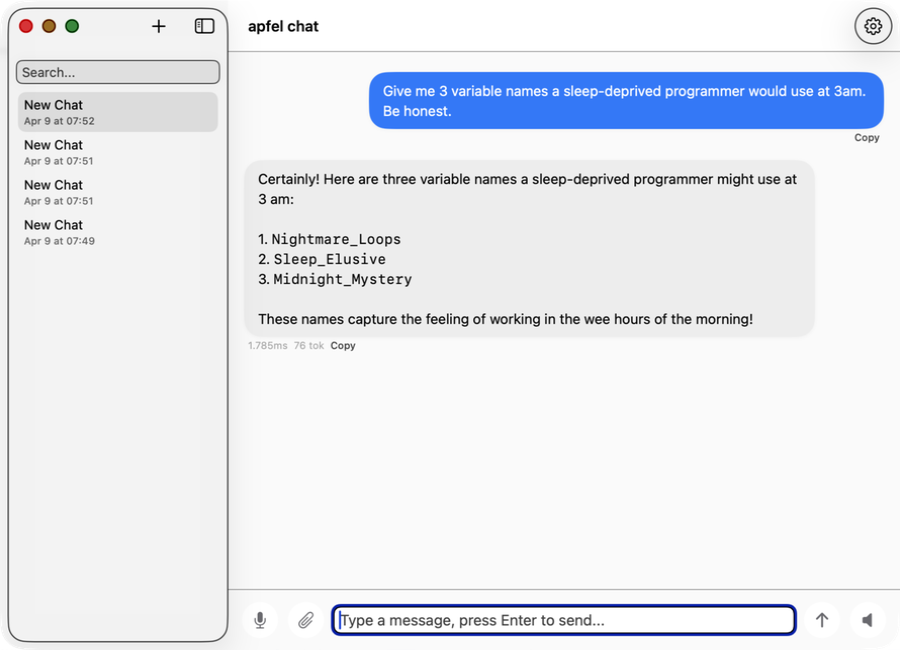
apfel-chat - private macOS AI chat

apfel-chat

Multi-conversation macOS chat client. Streaming markdown, speech in/out, image analysis - fully private, no API keys, no cloud.

SwiftUI Production
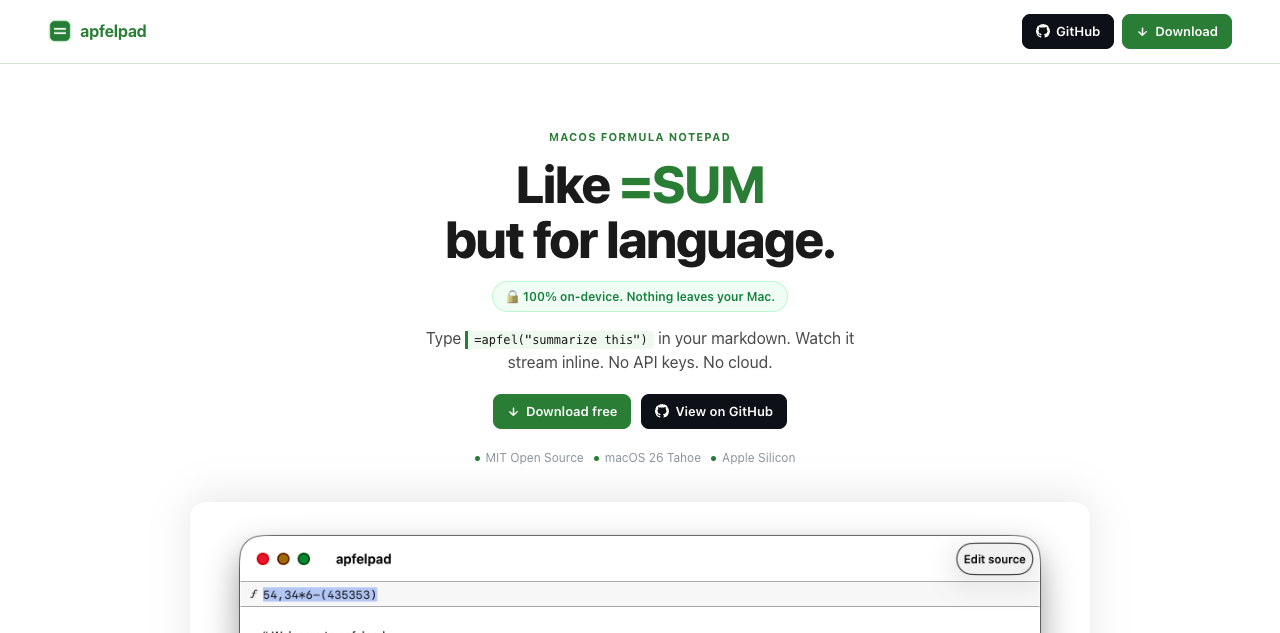
apfelpad - formula notepad with on-device AI

apfelpad

A formula notepad for thinking. Type =apfel("summarize this") in your markdown and watch it stream inline. Like =SUM but for language.
SwiftUI New
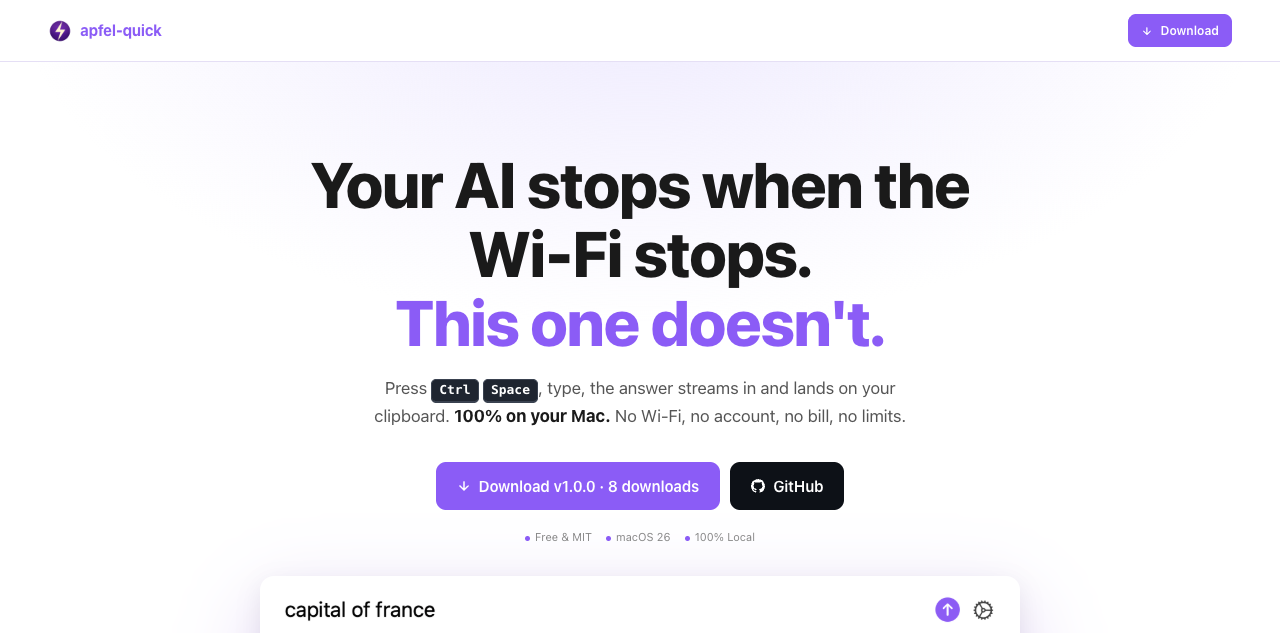
apfel-quick - instant AI overlay for macOS

apfel-quick

Instant AI overlay. Press Ctrl+Space anywhere, type a question, and the answer streams to your clipboard. No Wi-Fi, no account, no bill.

SwiftUI New
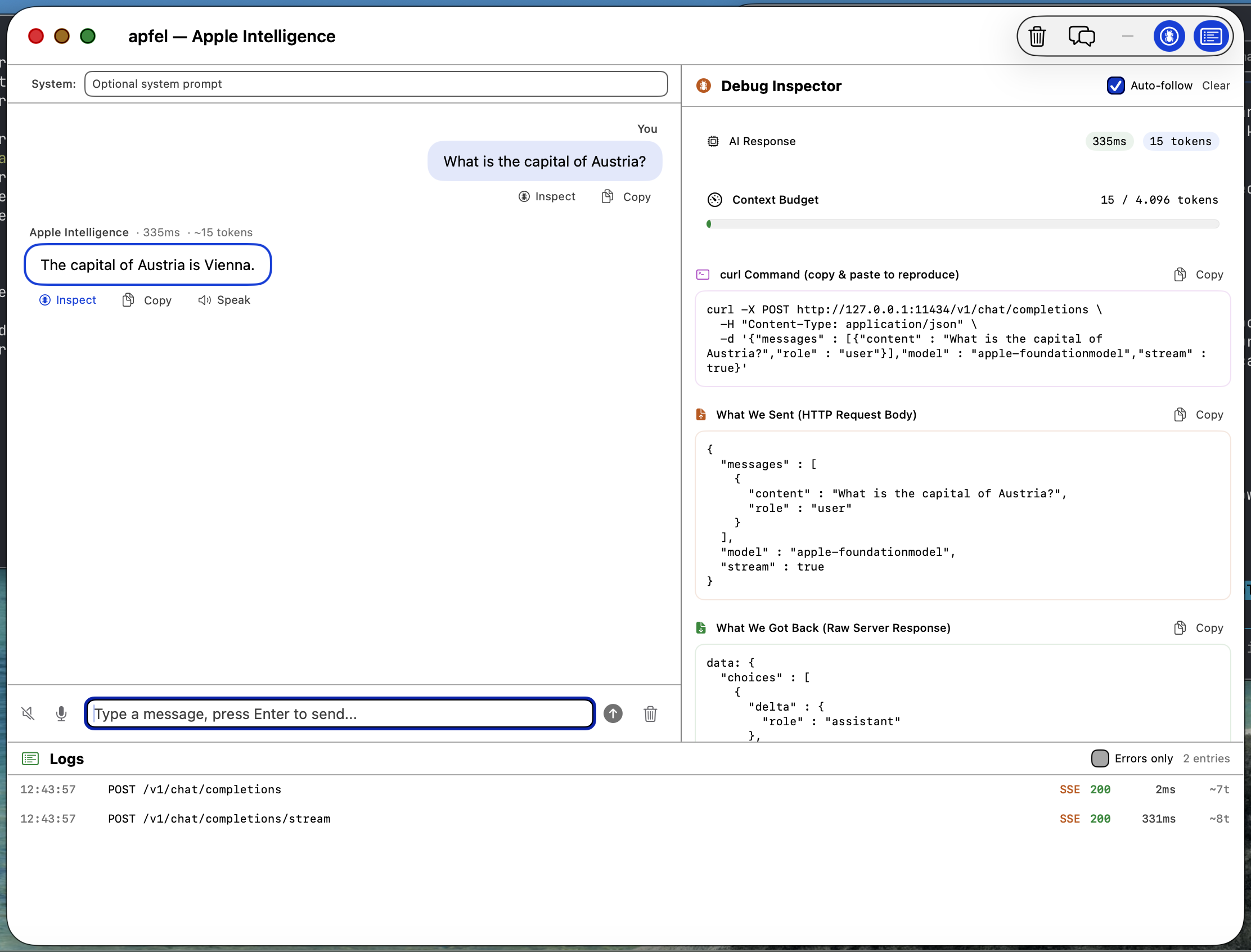
apfel-gui screenshot

apfel-gui

Native macOS SwiftUI debug GUI. Chat with Apple Intelligence, inspect requests and responses, logs, speech-to-text, text-to-speech - all on-device.

SwiftUI
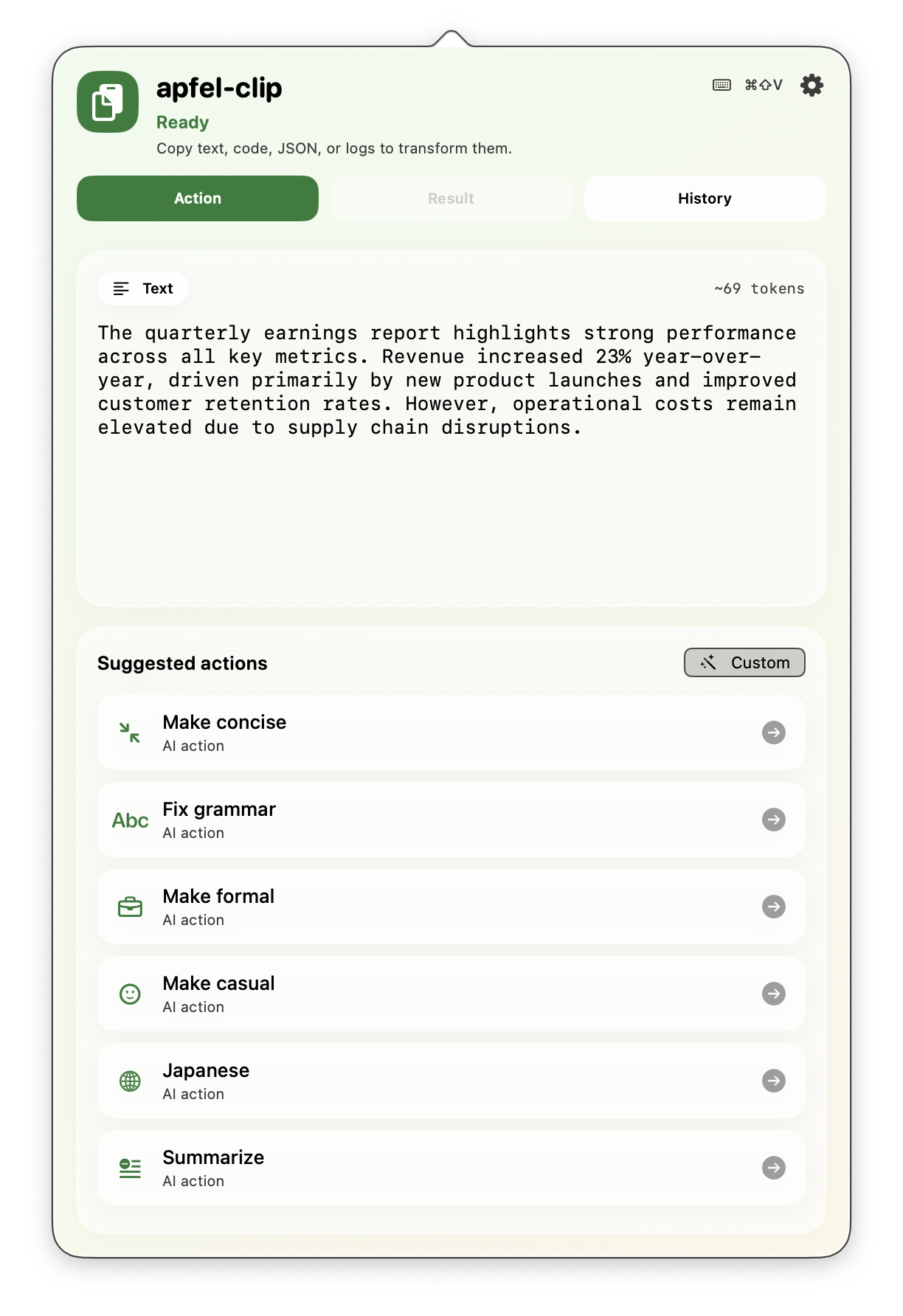
apfel-clip - AI clipboard actions

apfel-clip

AI clipboard actions from the menu bar. Hit cmd+shift+V on any text - fix grammar, translate, explain code, summarize. Fully on-device, no API keys.

SwiftUI Production
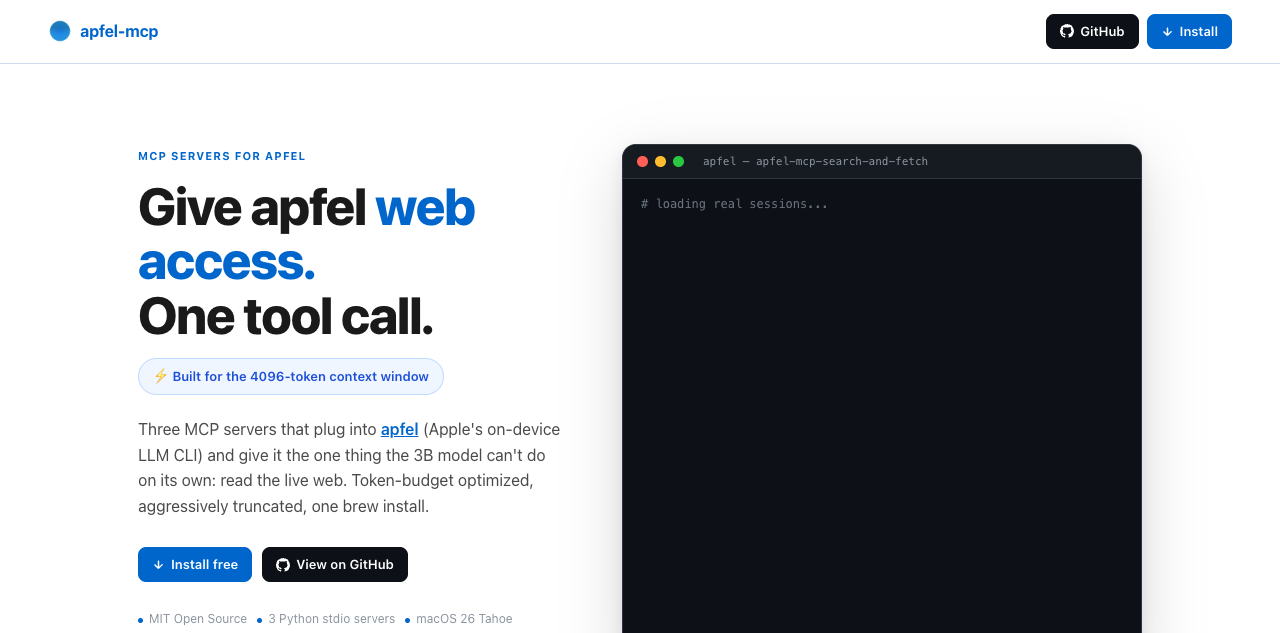
apfel-mcp - MCP servers for apfel

apfel-mcp

Give apfel web access in one tool call. Three token-budget-optimized MCP servers: url-fetch, ddg-search, and search-and-fetch. Built for the 4096-token context window.

Python New
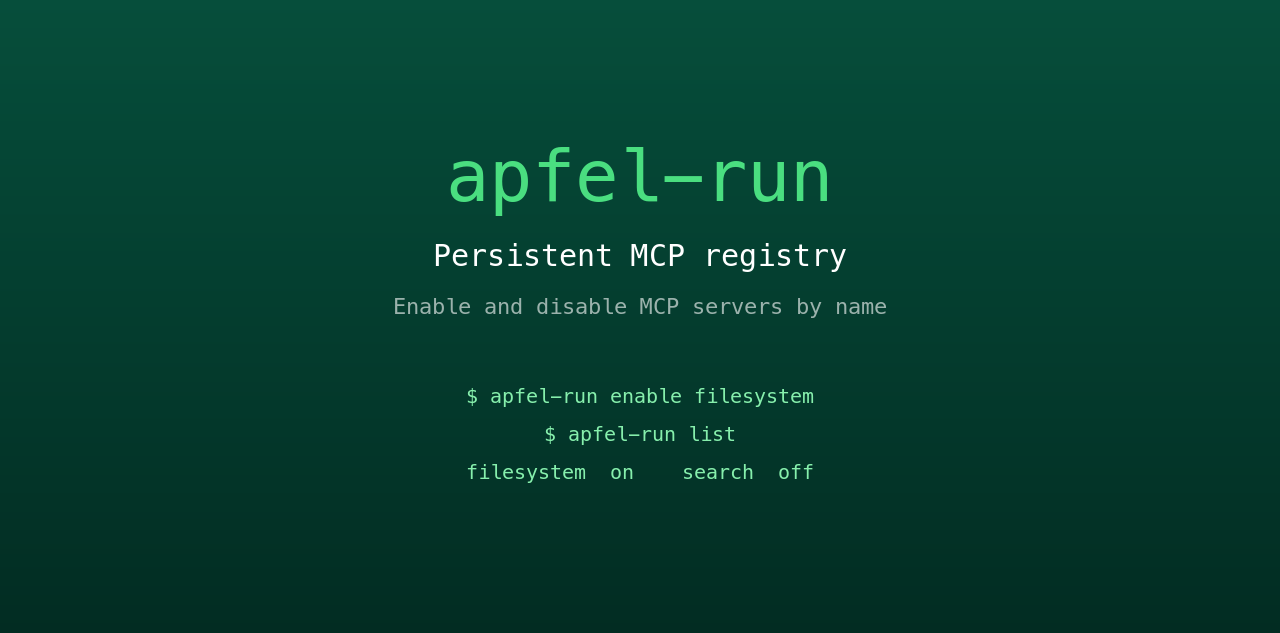
apfel-run - persistent MCP registry

apfel-run

Tiny UNIX wrapper that gives apfel a persistent MCP registry. Enable and disable MCP servers by name from a plain text config file. Survives restarts, no GUI, no daemon.

Shell New
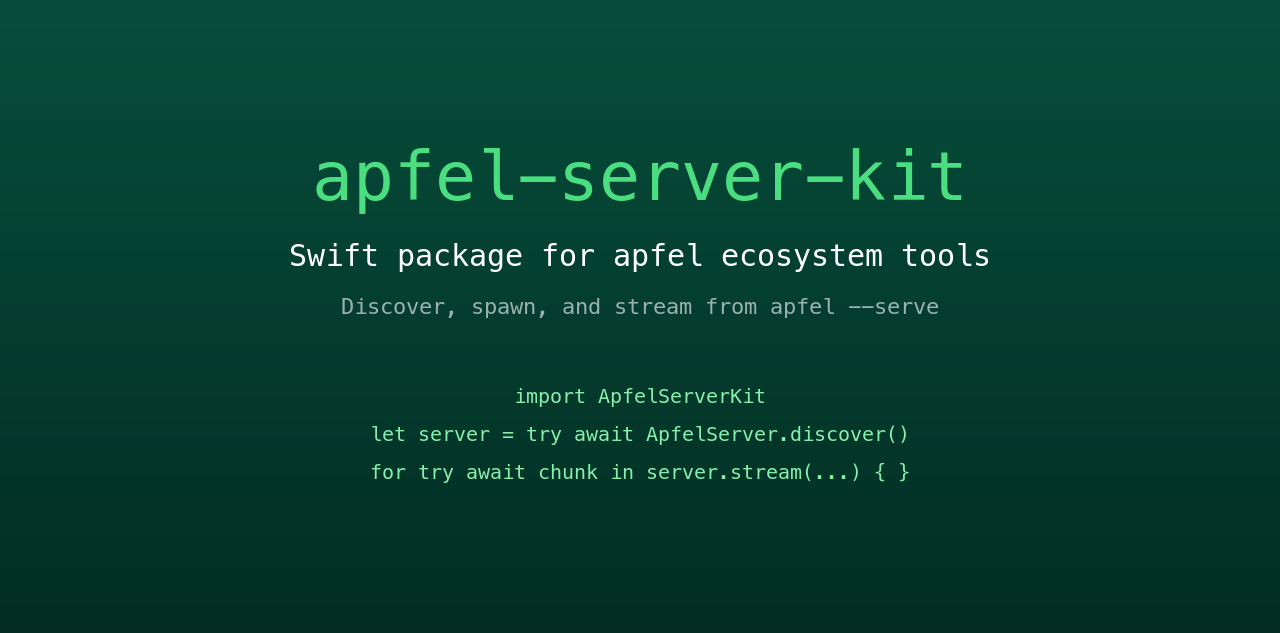
apfel-server-kit - Swift package for ecosystem tools

apfel-server-kit

Shared Swift package powering the ecosystem. Discover, spawn, and stream from a local apfel --serve process. The spine that every SwiftUI apfel app talks to.

Swift New
auge - Apple Vision framework from the terminal

auge

Sister project. apfel does language; auge does vision. One CLI for OCR, image classification, barcodes, and face detection - 100% on-device via Apple's Vision framework. No API keys, no cloud.

Swift Sister project
translate - Apple Translation framework from the terminal

translate

Sister project. UNIX filter plus drop-in HTTP server for DeepL, LibreTranslate, and Google v2 - powered by Apple's on-device Translation framework. 100% on-device, hard-enforced by NetworkGuard. No API keys, no cloud.

Swift Sister project

Frequently asked.

Questions scraped from Hacker News and Reddit.

What macOS version do I need?
macOS 26 (Tahoe) or newer. The FoundationModels framework only ships with Tahoe. Does not work on Sequoia or earlier. Requires Apple Silicon (M1 or later).
Does apfel access my personal data?
No. The FoundationModels framework has zero access to contacts, emails, calendar, photos, or Semantic Index. Those are restricted to first-party Apple features.
Does any data leave my Mac?
No. Two layers of privacy protect you.

The model: Apple's FoundationModels framework works without internet connectivity and runs entirely on the Neural Engine. Your prompts and responses never leave the device. User data is never used for training.

The tool: apfel keeps it that way. No analytics, no telemetry, no tracking, no automated update checks, no crash reporting, no calling home. Open source and auditable.
What is the context window?
4,096 tokens (~3,000 words) combined input + output. Great for shell scripts, summaries, and text transforms. Not suited for long conversations or large documents.
What is the model good at? Where does it struggle?
Good at: shell scripting, text transformation, classification, short summaries, JSON restructuring, translation.

Limited: math, factual recall, long conversations, complex code generation.

The model prefers to refuse rather than hallucinate. Deliberate Apple design choice.
Is the server mode secure?
Off by default. When enabled: Bearer token auth (--token), origin checking, debug-only log endpoints. Details in server-security.md.
Do I need to enable Apple Intelligence?
Yes. System Settings > Apple Intelligence & Siri > enable. This downloads the model. You don't need to use Siri, just enable it. Apple's setup guide.
How do I update apfel?
apfel --update. Detects install method, checks for newer version, prompts before upgrading. Manual: brew upgrade apfel or git pull && make install.
What model does it use?
Apple's own AFM (Apple Foundation Model), roughly 3 billion parameters with mixed 2-bit and 4-bit quantization. Not OpenAI. Ships with macOS Tahoe, runs entirely on-device on the Neural Engine.
How is apfel different from Ollama or LM Studio?
Zero LLM download, instant start, no setup. apfel uses the model already on your Mac. Ollama and LM Studio offer more models and larger context windows but require separate downloads and configuration. Different tools for different needs.
Does apfel support MCP and tool calling?
Yes. Native MCP built in. Pass --mcp <server> to connect tools. Tool calling guide.
Does apfel have any telemetry or calling-home functions?
None. apfel never contacts any server in the background. The only network call is when you explicitly run apfel --update, which checks Homebrew for a newer version. Open source and auditable.
Who created this?
apfel is created by Franz Enzenhofer (Systems Thinker, Author, Dev since C64 days, AI Mechanic) / franze on HN / founder of Full Stack Optimization and franzai.com.

Co-maintained by Arthur Ficial, an OpenClaw instance running on Anthropic's Claude Opus. Developed heavily with Claude Code and Codex. Always in high thinking / high effort mode.

Started: March 24, 2026.
How is it tested?
334 unit tests + 216 integration tests (end-to-end, OpenAI client compatibility, OpenAPI spec validation, security, performance). 550 tests total as of April 12, 2026.
What is apfel's origin story?
apfel originally started as an attempt to run OpenClaw on Apple Intelligence in ultra token-saving mode. That did not work out because of the 4K context window. But it turned out that a local, fast, scriptable, on-device, always-available, zero-config, privacy-first LLM is incredibly awesome, powerful, fun, and interesting.